How to Play Slots on JD Nitro: Beginner's Guide to Spins, Paylines, and Bets
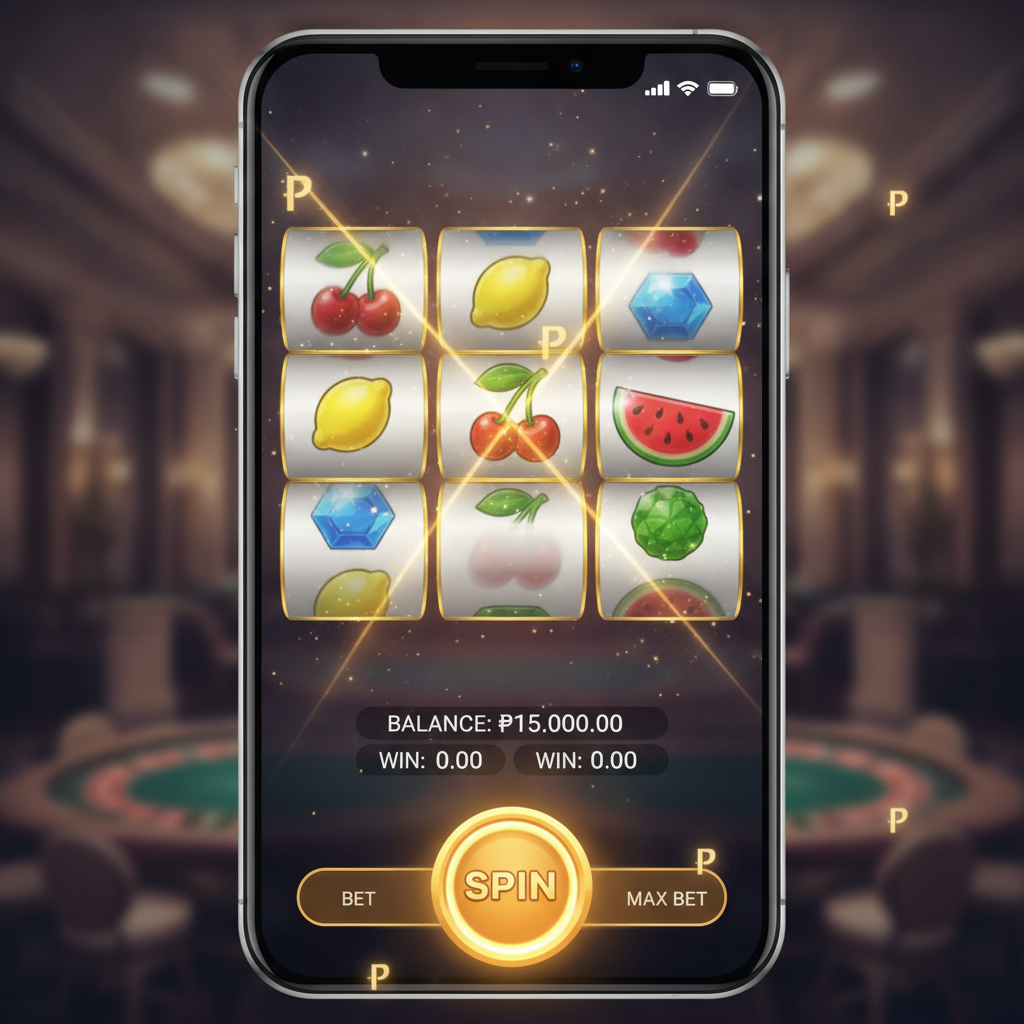
Finding the Slots Lobby in JD Nitro Games After Login
Once you complete your JD Nitro login, the platform opens to the main game lobby. Filipino players will see several categories across the top or side menu, depending on whether you're using a mobile browser or the desktop version.
Look for the "Slots" or "Games" tab—this is usually the first or second option after the homepage banner. Tapping it brings up the full slots library, organized by provider, popularity, or game type. JD Nitro games include classic three-reel fruit machines, modern five-reel video slots, and progressive jackpot titles.
You can filter by New Games, Popular, or Jackpot if you want to explore what other Filipino players are spinning. The search bar at the top lets you type a specific game name if you already know what you're looking for.
Each slot thumbnail shows the game title and provider logo. Tap any thumbnail to open the game in demo mode (if available) or real-money mode. If you haven't deposited yet, you'll be prompted to make your first PHP deposit via GCash, Maya, or bank transfer before spinning for real.
For beginners, it's helpful to browse the "Popular" section first—these games tend to have straightforward mechanics and are well-tested by the Filipino player community on JD Nitro.
Understanding Paylines, Reels, and Symbols for Filipino Beginners
Before you spin, it's important to understand three basic slot concepts: reels, paylines, and symbols.
Reels are the vertical columns that spin when you hit the play button. Classic slots usually have three reels, while video slots on JD Nitro games often feature five reels. Some advanced games have six or even seven reels, but five-reel slots are the most common format for Filipino players.
Symbols are the icons that appear on the reels—fruits, numbers, letters, theme-specific characters, or special symbols like Wilds and Scatters. Each symbol has a payout value listed in the game's paytable. Matching three or more identical symbols on a payline typically awards a prize.
Paylines are the patterns across the reels that count for a win. Traditional three-reel slots might have just one, three, or five paylines running horizontally. Modern five-reel video slots can have 10, 20, 25, 50, or even 243 "ways to win" instead of fixed lines.
To check how many paylines a slot has, open the game info or paytable screen—this is usually accessed by tapping the hamburger menu (☰) or an "i" icon inside the game window. The paytable shows:
- All active paylines and their patterns
- Symbol values for three, four, or five-of-a-kind matches
- Details on Wild symbols (which substitute for others) and Scatter symbols (which often trigger free spins or bonus rounds)
For Filipino beginners on JD Nitro, it's a good idea to start with slots that have 10–25 paylines. These offer a good balance between win frequency and bet cost, making your PHP budget last longer as you learn the mechanics.
How to Set Your Bet Amount (PHP 1 to PHP 100+ Per Spin)
Once you've chosen a slot and opened the game window, you'll see several controls at the bottom or side of the screen. The most important for beginners is the Bet or Coin Value button.
JD Nitro slots allow Filipino players to adjust their total bet per spin. This is usually done through two settings:
- Coin value: The PHP amount per coin (for example, PHP 0.10, PHP 0.50, PHP 1, PHP 5)
- Bet level or coins per line: How many coins you wager per active payline
Multiplying coin value by coins per line by the number of active paylines gives you the total bet per spin. Some modern video slots simplify this by showing a single "Total Bet" slider or plus/minus buttons.
Minimum bets on JD Nitro games can start as low as PHP 1 per spin, making slots accessible even for players with a modest bankroll. Maximum bets vary by game but can reach PHP 100, PHP 200, or higher for high-roller slots.
For beginners, a good starting point is PHP 5 to PHP 20 per spin. This range lets you experience the game's features without burning through your deposit too quickly. If your first deposit is PHP 500, betting PHP 10 per spin gives you 50 spins to explore the slot and see how the paylines and bonus features work.
Always check your selected bet amount before you spin. The total bet is displayed prominently near the spin button. If the number looks too high or too low, adjust using the bet controls before proceeding.
Starting Your First Spin and Reading the Results Screen
When you're ready to spin, tap or click the large circular Spin button. On mobile, this is usually centered at the bottom-right of the screen. The reels will begin to spin and stop one by one from left to right.
If you land three or more matching symbols on an active payline, you'll see an animation highlighting the winning line, and your win amount will be added to your balance. The win is displayed in PHP, making it easy for Filipino players to track their results.
After each spin, the game updates your balance and shows the win amount for that round. If you don't match enough symbols on a payline, the spin counts as a loss, and your balance decreases by the bet amount.
Key screens and indicators to watch:
- Balance: Your current PHP bankroll, updated after every spin
- Win: The PHP amount won on the last spin (if any)
- Bet: Your total wager per spin
- Autoplay: Many JD Nitro slots offer an autoplay feature that spins automatically for a set number of rounds. Beginners should avoid autoplay until they're comfortable with the game's pacing and bet settings.
Some video slots on JD Nitro games include bonus features triggered by landing three or more Scatter symbols. Common bonus rounds include free spins, pick-and-click games, or multiplier trails. When a bonus activates, the game will display instructions on screen. Follow the prompts and enjoy the extra chances to win.
If you're unsure what happened after a spin—especially during a bonus round—you can check the game's history or help menu. Most slots log recent spin results and explain how each feature works.
Responsible Gambling Tips: Setting Time and Budget Limits
Playing slots on JD Nitro games should be entertainment, not a way to make money. No spin is guaranteed to win, and the outcome of every spin is determined by random number generation.
Before you start spinning, set clear limits:
- Decide your session budget in PHP. Only deposit and bet money you can afford to lose. If you deposit PHP 500, treat that as your entertainment budget for the session.
- Set a time limit. Slots can be fast-paced, especially on mobile. Decide in advance how long you'll play—30 minutes, one hour, or another time frame that fits your schedule.
- Take breaks. Step away from the screen between sessions. This helps you stay clear-headed and avoid chasing losses.
- Never chase losses. If you lose your session budget, log out and come back another day. Depositing more money to "win it back" often leads to larger losses.
- Track your spending. Use your GCash, Maya, or bank app to monitor deposits. JD Nitro also provides transaction history in your account dashboard.
JD Nitro is strictly for players aged 21 and over. If you feel that gambling is affecting your finances, relationships, or daily life, seek help from a responsible gambling support service in the Philippines.
Slots are games of chance. Treat every spin as a cost of entertainment, and celebrate wins as a bonus rather than an expectation. By setting limits and sticking to them, Filipino players can enjoy JD Nitro games in a safe and controlled way.
This guide is for players 21+ only. Always gamble responsibly and within your means.