How to Register on JD Nitro: Step-by-Step Sign-Up Guide for Filipino Players
What You Need Before Starting
Before you begin the JD Nitro register process, gather three essentials. First, a valid government-issued ID—accepted documents typically include a Philippine passport, driver's license, UMID, SSS ID, postal ID, or any government ID with your photo and birthdate. Second, an active mobile number registered in your name for account verification and login security. Third, a working email address where you'll receive confirmation messages and account updates.
Make sure your ID clearly shows your full name, date of birth, and photo. Blurry or expired IDs may delay verification. Your mobile number should be able to receive SMS codes, and your email inbox should have space for JD Nitro messages—check your spam folder if you don't see confirmation emails right away.
JD Nitro is restricted to players aged 21 and above only. If you are under 21, you cannot legally create an account or place bets on the platform.
Step-by-Step Walkthrough of the JD Nitro Register Form on Mobile
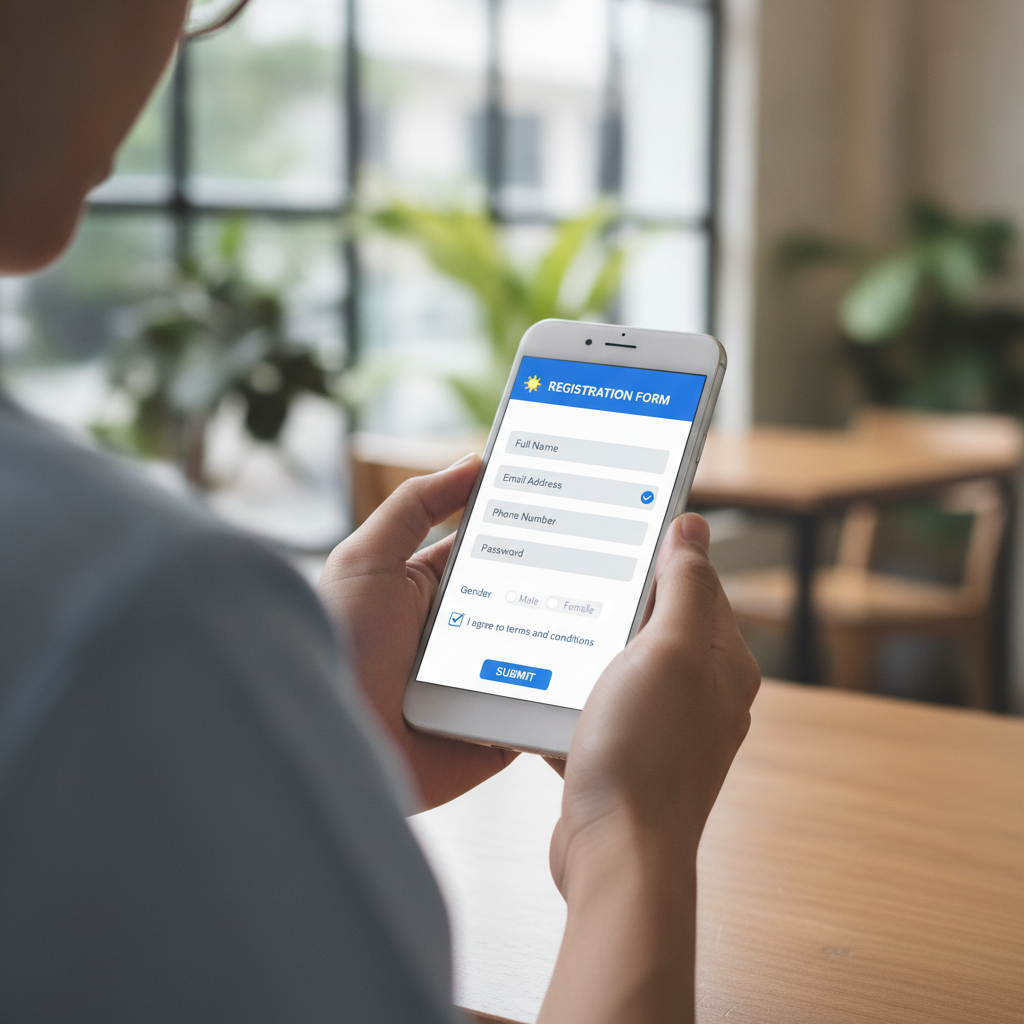
Most Filipino players access JD Nitro on their phones, so the registration form is mobile-optimized. Here's how to complete it step by step.
1. Open JD Nitro and tap "Register"
Visit the JD Nitro website through your mobile browser. On the homepage, look for the "Register" or "Sign Up" button, usually displayed prominently at the top right corner or in the main navigation menu. Tap it to open the registration form.
2. Enter your mobile number
The form will first ask for your mobile number. Type it in the standard 11-digit Philippine format (e.g., 09XX XXX XXXX). This number will be linked to your account and used for SMS verification, so double-check that it's correct before proceeding.
3. Provide your email address
Next, enter a valid email address. Use an email you check regularly—JD Nitro will send a confirmation link and important account notifications here. Avoid using temporary or disposable email services, as these may be rejected.
4. Create your username
Choose a unique username for your JD Nitro login. This is the name you'll use every time you sign in, so pick something easy to remember but not too obvious. Usernames are typically case-sensitive and cannot be changed later, so take a moment to confirm your choice.
5. Set your password
Create a strong, secure password. JD Nitro usually requires a combination of uppercase and lowercase letters, numbers, and special characters, with a minimum length of eight characters. Avoid common words, your birthdate, or sequences like "12345678." Write down your password in a safe place or use a password manager app to store it securely.
6. Fill in personal details
The registration form will ask for your full name (as it appears on your ID), date of birth, and gender. Enter this information exactly as shown on your government ID—mismatches can cause verification delays. Your birthdate will be checked to confirm you are 21 or older.
7. Select your currency
Choose PHP (Philippine Peso) as your account currency. Once set, this cannot be changed, so make sure PHP is selected before moving forward.
8. Agree to terms and conditions
Read the terms and conditions, privacy policy, and responsible gambling guidelines. Tick the checkbox to confirm you are at least 21 years old and agree to the platform's rules. This step is mandatory to proceed.
9. Submit the form
Review all the information you've entered. Once you're confident everything is correct, tap "Submit" or "Register." The platform will process your details and may send an SMS code or email link to verify your contact information.
10. Verify your mobile number and email
Check your phone for an SMS containing a verification code, then enter it in the prompt on screen. Similarly, open your email inbox and click the confirmation link JD Nitro sends. Both verifications are usually required before you can complete the JD Nitro register process and access your account.
ID Verification Process and Timeline for New Accounts
After you submit the registration form and verify your mobile number and email, JD Nitro will require identity verification to activate full account features. This is a standard security and age-confirmation step for online casinos in the Philippines.
Uploading your ID
Log in to your new account using your JD Nitro login credentials. Navigate to the account or profile section—often labeled "My Account," "Profile," or "Verification." Look for an option to upload documents or complete KYC (Know Your Customer) verification.
You'll be prompted to upload a photo or scan of your valid government ID. Make sure the image is clear, well-lit, and all text and your photo are legible. Some platforms ask for the front and back of the ID, so prepare both sides if needed. Accepted file formats are usually JPG, PNG, or PDF, with file size limits around 5 MB per image.
Selfie verification
In addition to your ID, JD Nitro may ask you to upload a selfie holding your ID next to your face. This step helps confirm that the person registering is the same as the person on the ID. Take the photo in good lighting, ensure your face and the ID details are both visible, and avoid using filters or heavy editing.
Verification timeline
Once you submit your documents, the JD Nitro team will review them. Verification usually takes 24 to 48 hours on business days, though it can be faster during off-peak periods or slower during weekends and holidays. You may receive an email or SMS notification once your account is approved.
If there's an issue—such as a blurry image, mismatched name, or ID that doesn't meet requirements—JD Nitro will notify you and ask you to re-upload corrected documents. Respond promptly to avoid further delays.
Until verification is complete, you may face limits on deposits, withdrawals, or gameplay. Some platforms allow you to browse games or place small bets, but full access requires a verified account.
Creating a Secure Password and Completing Your Profile
Account security starts with a strong password and accurate profile information.
Password best practices
Your JD Nitro login password is your first line of defense against unauthorized access. Follow these tips to keep it secure:
- Use at least eight characters, mixing uppercase and lowercase letters, numbers, and symbols.
- Avoid personal information like your name, birthdate, or mobile number.
- Don't reuse passwords from other sites—if one account is compromised, others may be at risk.
- Change your password periodically, especially if you suspect your account has been accessed without permission.
- Enable two-factor authentication (2FA) if JD Nitro offers it. This adds an extra security layer by requiring an SMS code or app-generated token in addition to your password.
Completing your profile
After the initial JD Nitro register steps, take a few minutes to complete your profile. Add or confirm details like your address, preferred contact method, and payment preferences. Accurate information speeds up future transactions and helps JD Nitro customer support assist you if issues arise.
If you plan to deposit using GCash or Maya, some players choose to link these e-wallets in the payment settings ahead of time, though you can also add them when making your first deposit.
Account settings and limits
Explore the account settings menu to customize your experience. Many platforms let you set deposit limits, loss limits, or session time reminders—these are helpful tools for managing your budget and playtime responsibly.
21+ Age Requirement and Responsible Gambling Reminder
JD Nitro is strictly for players 21 years of age and older. By completing the JD Nitro register process, you confirm that you meet this legal age requirement. Underage gambling is illegal and prohibited on the platform.
Online casino and sports betting can be entertaining, but it's important to play responsibly. Set a budget before you start, stick to stakes you can afford, and never chase losses. If you feel gambling is affecting your finances, relationships, or well-being, take a break and seek support. JD Nitro provides tools such as deposit limits, self-exclusion options, and links to responsible gambling resources.
Remember: gambling should be for fun, not a way to make money. Only bet what you're comfortable losing, and know when to stop.
You've now completed the JD Nitro register process, verified your identity, and secured your account. Once your ID is approved and your profile is set, you're ready to make your first deposit via GCash, Maya, or bank transfer and explore the platform's slots, live dealer tables, PBA and NBA sports betting, bingo, and lottery games. Good luck, play smart, and enjoy the experience responsibly.